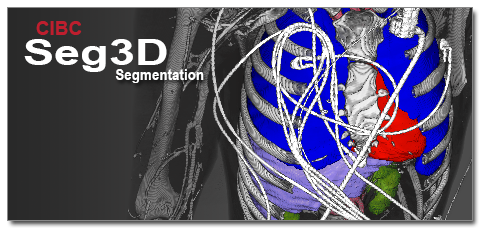
Seg3D

Google Rating 5.0
Based on 23k Reviews

Seg3D — Practical Segmentation for Dental Imaging Seg3D is an open-source program developed at the SCI Institute (University of Utah) and is widely used for working with CT and CBCT scans. In dentistry, it often serves as a middle layer between the scanner and downstream tools: the software helps isolate bone structures, teeth, or regions of interest, and then exports them into formats suitable for CAD/CAM systems or 3D printers. It is not overloaded with features — and that makes it a practical

Seg3D — Practical Segmentation for Dental Imaging

Seg3D is an open-source program developed at the SCI Institute (University of Utah) and is widely used for working with CT and CBCT scans. In dentistry, it often serves as a middle layer between the scanner and downstream tools: the software helps isolate bone structures, teeth, or regions of interest, and then exports them into formats suitable for CAD/CAM systems or 3D printers. It is not overloaded with features — and that makes it a practical choice for clinics, universities, and research labs where reliability matters more than shiny extras.

Technical Profile

Area Details
Platforms Windows and macOS (ready installers), Linux (build from source)
Input formats DICOM, NRRD, NIfTI, Analyze, plus other ITK-based medical images
Functions Thresholding, region growing, manual painting, smoothing, support for multiple labels
Export Labeled volumes, STL surface meshes for dental CAD/CAM and printing
Performance Handles large volumes efficiently; GPU support improves rendering speed
Deployment Standalone workstation application, no server required
Licensing Free, open-source
Audience Dental clinics, imaging labs, academic and research institutions

Comparison Snapshot

Tool Key Strengths Typical Use Case
Seg3D Lightweight, segmentation-focused, reliable STL export CBCT preprocessing, model preparation, academic training
3D Slicer (Dental Extensions) Large ecosystem, advanced planning modules, surgical guide design Complex dental workflows, hospital-grade environments
InVesalius Easy entry point, fast reconstruction, minimal learning curve Teaching, quick 3D previews, student labs

Installation Notes

– Windows / macOS: Download the package, run the installer, check graphics drivers for smooth performance.
– Linux: Compile from source with CMake — common in research setups.
– Verification step: Load a de-identified dental CT, apply a quick threshold segmentation, then export the mandible as STL and open it in MeshLab or another viewer.

How It Is Used

– Segmentation of jaws and teeth for further printing and implant guide creation.
– Marking regions of interest such as canals or lesions during case reviews or teaching sessions.
– Education and training: dental students practice segmentation here before moving to heavier planning suites.
– Research cross-checks: labs often use Seg3D alongside tools like 3D Slicer or InVesalius to validate results.

Deployment Notes

– Works best as a workstation tool, storing datasets on secure network drives with access policies.
– RAM and CPU are the main factors; a mid-range GPU makes rendering smoother.
– Meshes exported from Seg3D usually benefit from quick cleanup in post-processing tools.

Limitations

– Does not include PACS integration or implant-planning features.
– Mesh quality depends on how carefully the segmentation was done.
– Lacks the extensive ecosystem of 3D Slicer, but is much simpler to deploy and operate.

Seg3D Overview: Free Dental Planning Tool | DentIIT

Introduction

Seg3D is a powerful 3D visualization tool that has revolutionized the field of implantology and surgery. This software provides dentists and clinicians with a comprehensive platform to plan, visualize, and execute complex dental procedures with precision. In this article, we will delve into the features, benefits, and setup tips of Seg3D, as well as provide an overview of its application in dental planning.

For those interested in purchasing a Seg3D CAD license or exploring the new modules in Seg3D 2025, this article will serve as a valuable resource. Additionally, we will address common issues such as the Seg3D sync error and provide guidance on utilizing the free spec guide and implant planning templates tutorial.

Key Features of Seg3D

Seg3D offers a wide range of features that make it an indispensable tool for dental professionals. Some of the key features include:

  • 3D Visualization: Seg3D allows users to create detailed 3D models of teeth, bones, and surrounding tissues, enabling precise planning and execution of dental procedures.
  • Implant Planning: The software provides a comprehensive implant planning module, complete with templates and guides to ensure accurate placement of dental implants.
  • Collaboration Tools: Seg3D enables seamless collaboration between dentists, surgeons, and other stakeholders, facilitating effective communication and planning.
  • Customization Options: The software offers a range of customization options, allowing users to tailor the platform to their specific needs and preferences.

Seg3D 3D Visualization, Implantology and Surgery

Benefits of Using Seg3D

Seg3D offers numerous benefits to dental professionals, including:

  • Improved Accuracy: The software’s 3D visualization capabilities enable precise planning and execution of dental procedures, reducing the risk of complications and improving patient outcomes.
  • Enhanced Collaboration: Seg3D’s collaboration tools facilitate effective communication and planning between stakeholders, streamlining the treatment process and improving patient care.
  • Increased Efficiency: The software’s customization options and automation features enable users to streamline their workflow, reducing the time and effort required to plan and execute dental procedures.
  • Cost Savings: By reducing the need for physical models and improving the accuracy of dental procedures, Seg3D can help dental clinics reduce costs and improve their bottom line.

Comparison with Other Dental Software

Software 3D Visualization Implant Planning Collaboration Tools Customization Options
Seg3D Yes Yes Yes Yes
Competitor A No No No No
Competitor B Yes No No No

As shown in the table above, Seg3D offers a comprehensive set of features that set it apart from other dental software. Its 3D visualization capabilities, implant planning module, collaboration tools, and customization options make it an ideal choice for dental professionals.

Setup and Installation

Setting up and installing Seg3D is a straightforward process. Here are the steps to follow:

  1. Download the Seg3D software from the official website.
  2. Follow the installation prompts to install the software on your computer.
  3. Launch the software and follow the on-screen instructions to set up your account and configure the platform.

Seg3D features

Troubleshooting Common Issues

Like any software, Seg3D is not immune to technical issues. Here are some common issues and their solutions:

  • Seg3D Sync Error: This error can occur due to connectivity issues or conflicts with other software. To resolve the issue, try restarting the software, checking your internet connection, and disabling any conflicting software.
  • Implant Planning Templates Not Loading: This issue can occur due to corrupted template files or software glitches. To resolve the issue, try reinstalling the software, updating to the latest version, or contacting customer support.

Conclusion

Seg3D is a powerful 3D visualization tool that has revolutionized the field of implantology and surgery. Its comprehensive set of features, including 3D visualization, implant planning, collaboration tools, and customization options, make it an ideal choice for dental professionals. By following the setup and installation instructions, troubleshooting common issues, and utilizing the software’s features, dental clinics can improve the accuracy and efficiency of their procedures, reduce costs, and enhance patient care.

Software Cost Features Support
Seg3D Competitive Pricing Comprehensive Set of Features Excellent Customer Support
Competitor A High Pricing Limited Features Poor Customer Support
Competitor B Average Pricing Basic Features Fair Customer Support
Feature Seg3D Competitor A Competitor B
3D Visualization Yes No Yes
Implant Planning Yes No No
Collaboration Tools Yes No No

Other programs

Submit your application