
GNU Health (Dental Module)

Google Rating 5.0
Based on 23k Reviews

GNU Health (Dental Module) GNU Health is best known as a hospital and health information system, but its modular design means it can be extended into many areas of care. The dental module is one of those extensions. Instead of running a separate program just for dentistry, clinics and hospitals can manage oral health records within the same system that already holds medical charts, lab results, and prescriptions. For administrators, this approach reduces silos: one database, one security model,

GNU Health (Dental Module)

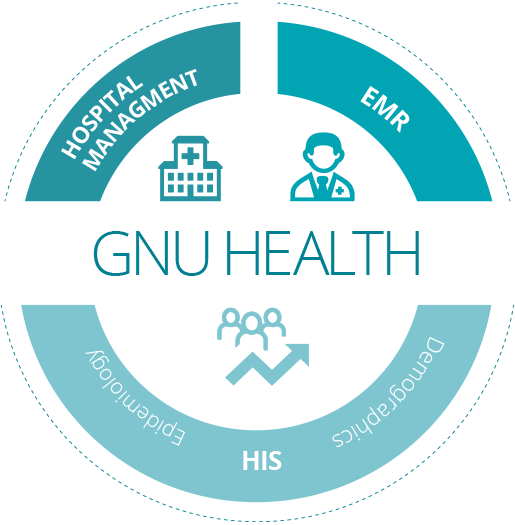
GNU Health is best known as a hospital and health information system, but its modular design means it can be extended into many areas of care. The dental module is one of those extensions. Instead of running a separate program just for dentistry, clinics and hospitals can manage oral health records within the same system that already holds medical charts, lab results, and prescriptions. For administrators, this approach reduces silos: one database, one security model, and one set of tools for backup and compliance.

Core Characteristics

AspectDetails
PlatformLinux as primary target, also works on Windows/macOS with dependencies
DatabasePostgreSQL backend shared with the main GNU Health installation
FeaturesDental charting, procedure history, scheduling, billing, e-prescriptions
InteroperabilityHL7/FHIR support, DICOM for x-ray or imaging, links with labs and radiology
SecurityRole-based access control, audit logs, encryption; aligns with medical compliance standards
LicensingGPL, open-source
Deployment modelServer-based HIS with client access, dental features installed as module

Installation Guide

Set up GNU Health core – Install PostgreSQL and the base GNU Health server. Enable standard modules such as patients and appointments.

Add the dental package – Retrieve the health_dentistry add-on from the GNU Health repository. Apply schema updates with the provided scripts.

Configure roles and forms – Activate dental chart templates. Assign permissions so only dental staff can access those records.

Verification – Enter sample patients and treatments to confirm workflows. Check links with billing and imaging modules.

How It’s Used

In real deployments, the dental module tends to appear where dentistry is one department among many. A regional hospital might run it so that oral surgery data sits next to radiology results. Public clinics sometimes add it when rolling out GNU Health for community programs. Universities also use it in teaching labs: dental students get to practice recording procedures in a system that mirrors hospital IT rather than a standalone desktop app.

Deployment Notes

– Best suited for Linux servers; cross-platform is possible but requires more effort.

– PostgreSQL administration skills are necessary — backups, tuning, and role management remain on the admin side.

– Imaging integration depends on HL7/DICOM setup; not turnkey.

– Documentation is community-maintained and can vary in depth.

Real-World Scenarios

– Hospital IT: A single PostgreSQL instance runs both medical and dental modules, simplifying backups.

– Public health service: Clinics track dental check-ups alongside vaccinations and chronic disease monitoring.

– University training: Students log procedures in the dental module to learn how patient data integrates into a broader HIS.

Limitations

– Installation and configuration are more complex than lightweight dental apps.

– Requires IT staff familiar with PostgreSQL and GNU Health architecture.

– Interface feels less refined than commercial tools aimed at private practice.

– Release cycles follow the main GNU Health project, so updates may lag behind standalone software.

Quick Comparison

ToolDistinctive StrengthBest Fit
GNU Health (Dental Mod.)Integrated with hospital HIS, open-sourceHospitals, public health networks, universities
Open DentalMature, flexible, backed by commercial supportIndependent or group dental practices
OpenMolarSmall footprint, community-drivenSmaller clinics with modest IT resources
Dentrix (Commercial)Vendor support, polished UIPrivate practices that want turnkey solutions

GNU Health (Dental Module) export & recovery | Dentiit

What is GNU Health (Dental Module)?

GNU Health (Dental Module) is a comprehensive dental practice management software designed to streamline clinic operations, enhance patient care, and improve overall efficiency. As part of the GNU Health ecosystem, it inherits the robust features and flexibility of the parent platform, while focusing specifically on the unique needs of dental healthcare providers.

Main Features

The GNU Health (Dental Module) offers a wide range of features that cater to the diverse requirements of dental clinics. Some of the key features include:

  • Patient management: comprehensive patient profiles, appointment scheduling, and billing management
  • Clinical management: digital radiography, 3D planning, and treatment planning
  • Inventory management: tracking of dental materials, supplies, and equipment
  • Reporting and analytics: customizable reports, dashboards, and key performance indicators (KPIs)

Installation Guide

System Requirements

Before installing GNU Health (Dental Module), ensure that your system meets the following requirements:

  • Operating System: Linux, Windows, or macOS
  • Database: PostgreSQL or MySQL
  • Python: version 3.8 or higher
  • RAM: 8 GB or higher

Step-by-Step Installation

Follow these steps to install GNU Health (Dental Module):

  1. Download the GNU Health (Dental Module) software from the official website
  2. Extract the downloaded file to a directory of your choice
  3. Open a terminal or command prompt and navigate to the extracted directory
  4. Run the installation script using the command python install.py
  5. Follow the on-screen instructions to complete the installation process

Technical Specifications

Database Schema

GNU Health (Dental Module) supports both PostgreSQL and MySQL databases. For optimal performance, it is recommended to use PostgreSQL.

Security

The software employs robust security measures, including encryption, access controls, and auditing, to ensure the confidentiality, integrity, and availability of patient data.

Pros and Cons

Advantages

GNU Health (Dental Module) offers several benefits, including:

  • Comprehensive feature set
  • Highly customizable
  • Scalable and flexible
  • Free and open-source

Disadvantages

Some potential drawbacks of the software include:

  • Steep learning curve
  • Requires technical expertise for installation and maintenance
  • May require additional hardware and software resources

FAQ

How do I download GNU Health (Dental Module)?

You can download the software from the official GNU Health website.

Is GNU Health (Dental Module) free?

Yes, GNU Health (Dental Module) is free and open-source software.

What are the system requirements for GNU Health (Dental Module)?

The system requirements are listed in the Installation Guide section.

Conclusion

GNU Health (Dental Module) is a powerful and feature-rich dental practice management software that can help clinics streamline their operations, enhance patient care, and improve overall efficiency. With its comprehensive feature set, high customizability, and scalability, it is an ideal solution for dental healthcare providers. However, it may require technical expertise for installation and maintenance, and may have a steep learning curve. Overall, GNU Health (Dental Module) is a robust and reliable solution for dental clinics looking to improve their operations and patient care.

GNU Health (Dental Module) best practices | Dentiit

What is GNU Health (Dental Module)?

GNU Health (Dental Module) is a free and open-source dental practice management software that provides a comprehensive platform for dentists and dental clinics to manage their daily operations. It is part of the GNU Health project, which aims to provide a unified system for healthcare management. The dental module is specifically designed to cater to the unique needs of dental practices, offering features such as patient management, appointment scheduling, and treatment planning.

Main Features of GNU Health (Dental Module)

Some of the key features of GNU Health (Dental Module) include:

  • Patient management: Create and manage patient records, including demographic information, medical history, and treatment plans.
  • Appointment scheduling: Schedule appointments and manage your calendar with ease.
  • Treatment planning: Create and manage treatment plans, including procedures, medications, and follow-up appointments.
  • Reporting and analytics: Generate reports and analytics to track your practice’s performance and make informed decisions.

Installation Guide

System Requirements

Before installing GNU Health (Dental Module), ensure that your system meets the following requirements:

  • Operating System: GNU/Linux or Windows
  • Processor: 2 GHz or faster
  • Memory: 4 GB or more
  • Storage: 10 GB or more

Installation Steps

Follow these steps to install GNU Health (Dental Module):

  1. Download the GNU Health (Dental Module) installer from the official website.
  2. Run the installer and follow the prompts to install the software.
  3. Configure the software to connect to your database and set up your user account.

Technical Specifications

Database Management

GNU Health (Dental Module) uses a PostgreSQL database to store patient data and other information. The software provides tools for backing up and restoring data, as well as managing database users and permissions.

Security Features

GNU Health (Dental Module) includes several security features to protect patient data, including:

  • Encryption: Data is encrypted both in transit and at rest.
  • Access control: Users can be assigned different roles and permissions to control access to sensitive data.
  • Audit trails: All changes to patient data are logged and can be audited.

Pros and Cons

Advantages

Some of the advantages of using GNU Health (Dental Module) include:

  • Free and open-source: GNU Health (Dental Module) is free to download and use, with no licensing fees.
  • Customizable: The software can be customized to meet the specific needs of your dental practice.
  • Scalable: GNU Health (Dental Module) can handle large volumes of patient data and is suitable for practices of all sizes.

Disadvantages

Some of the disadvantages of using GNU Health (Dental Module) include:

  • Steep learning curve: The software can be complex and require significant training to use effectively.
  • Technical support: As a free and open-source software, technical support may be limited compared to commercial alternatives.

FAQ

How do I back up my data?

GNU Health (Dental Module) provides tools for backing up and restoring data. You can find more information on backing up your data in the user manual.

Can I use GNU Health (Dental Module) on a Mac?

Yes, GNU Health (Dental Module) can be installed on a Mac using a virtual machine or by installing a Linux distribution.

How does GNU Health (Dental Module) compare to 3D Slicer?

GNU Health (Dental Module) and 3D Slicer are both free and open-source software, but they serve different purposes. GNU Health (Dental Module) is a dental practice management software, while 3D Slicer is a medical imaging software. They can be used together to provide a comprehensive solution for dental practices.

GNU Health (Dental Module) secure data notes | Dentiit

What is GNU Health (Dental Module)?

Gnu Health (Dental Module) is a comprehensive dental practice management software designed to streamline clinical, administrative, and financial tasks within dental clinics and hospitals. As part of the GNU Health project, this module is built on the principles of free software, aiming to provide a robust, secure, and community-driven solution for dental professionals worldwide.

Main Features and Capabilities

The GNU Health (Dental Module) is packed with features that cater to the specific needs of dental practices, including patient management, appointment scheduling, clinical records, billing, and inventory management. One of its standout features is the ability to export DICOM (Digital Imaging and Communications in Medicine) images, facilitating the sharing of medical imaging information between healthcare professionals.

Installation Guide

System Requirements

Before installing GNU Health (Dental Module), ensure your system meets the necessary requirements, including an operating system compatible with GNU Health, sufficient disk space, and the necessary software dependencies.

Step-by-Step Installation Process

The installation process involves downloading the GNU Health (Dental Module) software from the official GNU Health website, configuring the database, and setting up the necessary modules. Detailed documentation and community support are available to guide users through this process.

Technical Specifications

Security Features

Gnu Health (Dental Module) prioritizes data security, incorporating features such as data encryption, access controls, and audit trails to ensure the confidentiality and integrity of patient data. Regular backups and the use of restore points are also recommended to safeguard against data loss.

Scalability and Customization

The software is designed to be scalable, accommodating the needs of both small and large dental practices. Its modular architecture allows for customization, enabling users to select and configure the features most relevant to their practice.

Pros and Cons

Advantages

  • Free and open-source, reducing costs for dental practices.
  • Highly customizable to meet specific practice needs.
  • Strong focus on data security and patient privacy.
  • Active community support for troubleshooting and feature development.

Disadvantages

  • Steep learning curve due to its comprehensive feature set.
  • Requires technical expertise for installation and customization.
  • May require additional hardware or software for optimal performance.

Frequently Asked Questions

Is GNU Health (Dental Module) Free?

Yes, GNU Health (Dental Module) is completely free to download and use. It is part of the GNU Health project, which is committed to providing free software solutions for healthcare.

How Do I Export DICOM Images from GNU Health (Dental Module)?

The process of exporting DICOM images involves accessing the patient’s clinical record, selecting the imaging study, and using the export feature to save the images in DICOM format. Detailed instructions can be found in the GNU Health documentation.

What Are the Best Alternatives to GNU Health (Dental Module)?

Alternatives include other dental practice management software such as OpenMRS, VistA, and commercial solutions like Dentrix and Eaglesoft. The choice of alternative depends on the specific needs and preferences of the dental practice.

Conclusion

Gnu Health (Dental Module) offers a powerful, flexible, and secure solution for dental practice management. With its robust features, active community support, and commitment to free software principles, it is an attractive option for dental professionals seeking to enhance their clinical and administrative workflows.

GNU Health (Dental Module) troubleshooting | Dentiit

What is GNU Health (Dental Module)?

GNU Health (Dental Module) is a comprehensive dental practice management software designed to streamline clinical, administrative, and financial tasks. As part of the GNU Health ecosystem, it leverages the power of free software to provide a robust and secure platform for dental professionals. With a strong focus on patient care, GNU Health (Dental Module) offers a wide range of features to manage patient records, schedule appointments, track billing and insurance, and maintain a high level of data security.

Key Features of GNU Health (Dental Module)

Comprehensive Patient Records

GNU Health (Dental Module) allows you to manage patient records efficiently, including medical and dental history, allergies, and treatment plans. The software also supports the creation of customized intake forms, ensuring that all necessary information is collected during the patient’s first visit.

Secure Data Management

The software utilizes DICOM workflow with encrypted repositories and retention, ensuring the secure storage and transmission of sensitive patient data. This feature is particularly important in the healthcare industry, where data protection is paramount.

Streamlined Scheduling and Billing

GNU Health (Dental Module) includes a built-in scheduling system, allowing you to manage appointments, reminders, and notifications with ease. The software also supports automated billing and insurance claims, reducing administrative tasks and minimizing errors.

Installation Guide for GNU Health (Dental Module)

System Requirements

Before installing GNU Health (Dental Module), ensure that your system meets the minimum requirements, including a compatible operating system, sufficient RAM, and a reliable internet connection.

Download and Installation

Download the GNU Health (Dental Module) software from the official website and follow the installation instructions. The process is relatively straightforward, and you can expect to have the software up and running within a few minutes.

Troubleshooting Common Issues with GNU Health (Dental Module)

Resolving Data Corruption

In the event of data corruption, GNU Health (Dental Module) allows you to restore your database from incremental chains and restore points. This feature ensures that your data remains safe and recoverable in case of unexpected errors.

Optimizing Performance

To optimize the performance of GNU Health (Dental Module), ensure that your system meets the recommended specifications, and consider upgrading your hardware if necessary. Regular software updates can also help improve performance and resolve any known issues.

Comparing GNU Health (Dental Module) to Alternatives

Evaluating Key Features

When comparing GNU Health (Dental Module) to alternative dental practice management software, consider the key features that matter most to your practice. GNU Health (Dental Module) offers a unique combination of comprehensive patient records, secure data management, and streamlined scheduling and billing.

Assessing Cost and Support

GNU Health (Dental Module) is a free software, which can be a significant advantage for practices with limited budgets. Additionally, the software is supported by a large community of developers and users, ensuring that help is always available when you need it.

Frequently Asked Questions about GNU Health (Dental Module)

Is GNU Health (Dental Module) suitable for small practices?

Yes, GNU Health (Dental Module) is an excellent choice for small practices, as it offers a comprehensive set of features at no cost.

Can I customize GNU Health (Dental Module) to meet my practice’s specific needs?

Yes, GNU Health (Dental Module) is highly customizable, allowing you to tailor the software to meet your practice’s unique requirements.

GNU Health (Dental Module) backup checklist | Dentiit

What is GNU Health (Dental Module)?

GNU Health (Dental Module) is a free and open-source software designed for dental practice management. It is a part of the GNU Health project, which aims to provide a comprehensive health information system for healthcare professionals. The dental module is specifically designed to cater to the needs of dental clinics, hospitals, and private practices, providing a robust and efficient way to manage patient records, appointments, billing, and other dental-related tasks.

Main Features of GNU Health (Dental Module)

The GNU Health (Dental Module) offers a range of features that make it an ideal choice for dental practice management. Some of the key features include:

  • Patient management: Create and manage patient records, including medical and dental history, appointments, and billing information.
  • Appointment scheduling: Schedule appointments and manage your calendar with ease.
  • Billing and invoicing: Generate invoices and manage payments, including insurance claims and patient billing.
  • Reporting and analytics: Generate reports and analytics on patient data, appointments, and billing information.

Installation Guide

System Requirements

Before installing GNU Health (Dental Module), ensure that your system meets the following requirements:

  • Operating System: GNU/Linux or Windows
  • Database: PostgreSQL or MySQL
  • Python: 3.6 or later

Installation Steps

Follow these steps to install GNU Health (Dental Module):

  1. Download the GNU Health (Dental Module) package from the official website.
  2. Extract the package to a directory on your system.
  3. Install the required dependencies, including PostgreSQL or MySQL and Python.
  4. Run the installation script to configure the database and install the software.

Troubleshooting Common Issues

Viewer Errors and Corrupted Files

If you encounter viewer errors or corrupted files while using GNU Health (Dental Module), try the following troubleshooting steps:

  1. Check the database connection and ensure that it is stable.
  2. Verify that the file permissions are correct and that the user has read and write access.
  3. Try reinstalling the software or restoring from a backup.

Why GNU Health (Dental Module) Crashes

GNU Health (Dental Module) may crash due to various reasons, including:

  • Insufficient system resources
  • Corrupted database or files
  • Incompatible dependencies

Backup and Recovery

Importance of Backup

Regular backups are essential to ensure that your data is safe in case of a system failure or data loss. GNU Health (Dental Module) provides a built-in backup feature that allows you to create and manage backups with ease.

Backup Checklist

Follow this backup checklist to ensure that your data is safe:

  1. Create regular backups of your database and files.
  2. Store backups in a secure location, such as an external hard drive or cloud storage.
  3. Verify that backups are complete and can be restored.

Comparison with OpenEMR

Key Differences

GNU Health (Dental Module) and OpenEMR are both popular open-source electronic health record (EHR) systems. However, there are some key differences between the two:

  • Licensing: GNU Health (Dental Module) is licensed under the GNU General Public License (GPL), while OpenEMR is licensed under the GNU Affero General Public License (AGPL).
  • Features: GNU Health (Dental Module) has a more comprehensive set of features, including dental-specific modules and reporting tools.

Conclusion

GNU Health (Dental Module) is a robust and feature-rich software designed for dental practice management. With its comprehensive set of features, ease of use, and flexibility, it is an ideal choice for dental clinics, hospitals, and private practices. By following the backup checklist and troubleshooting common issues, you can ensure that your data is safe and your practice runs smoothly.

GNU Health (Dental Module) workflow tips | Dentiit

What is GNU Health (Dental Module)?

GNU Health (Dental Module) is a comprehensive dental practice management software designed to streamline and optimize dental care services. As part of the GNU Health ecosystem, this module provides a robust and flexible platform for dental professionals to manage patient care, administrative tasks, and clinical operations. With its modular architecture and open-source nature, GNU Health (Dental Module) offers a cost-effective and customizable solution for dental practices of all sizes.

Main Features and Benefits

The GNU Health (Dental Module) offers a wide range of features and benefits, including:

  • Patient chart migration with dedupe archives and recovery
  • Chairside notes and annotations
  • Repositories and immutable backups for secure data management
  • Faster recovery and cleaner workflows
  • Customizable and extensible architecture

Installation Guide

System Requirements

Before installing GNU Health (Dental Module), ensure that your system meets the following requirements:

  • Operating System: Linux or Windows
  • Database: PostgreSQL or MySQL
  • Python: 3.8 or later
  • GNU Health: 3.6 or later

Step-by-Step Installation

Follow these steps to install GNU Health (Dental Module):

  1. Download the GNU Health (Dental Module) package from the official website
  2. Extract the package to a directory of your choice
  3. Run the installation script (install.sh or install.py)
  4. Follow the on-screen instructions to complete the installation

Technical Specifications

Architecture and Design

GNU Health (Dental Module) is built on top of the GNU Health ecosystem, using a modular and extensible architecture. The module is designed to integrate seamlessly with other GNU Health components, providing a comprehensive and unified platform for healthcare management.

Data Management and Security

The module uses a robust data management system, with features such as:

  • Repositories and immutable backups
  • Data encryption and access control
  • Audit trails and logging

Pros and Cons

Advantages

GNU Health (Dental Module) offers several advantages, including:

  • Cost-effective and customizable solution
  • Comprehensive and integrated platform
  • Robust data management and security features
  • Open-source and community-driven development

Limitations

Some limitations of GNU Health (Dental Module) include:

  • Steep learning curve for new users
  • Dependence on GNU Health ecosystem
  • Limited support for non-standard workflows

FAQ

What is the licensing model for GNU Health (Dental Module)?

GNU Health (Dental Module) is released under the GNU General Public License (GPL), which allows for free use, modification, and distribution of the software.

Can I use GNU Health (Dental Module) for free?

Yes, GNU Health (Dental Module) is available for free download and use. However, you may need to purchase support and services from authorized providers.

Is GNU Health (Dental Module) compatible with my existing systems?

GNU Health (Dental Module) is designed to be compatible with a wide range of systems and architectures. However, please check the system requirements and compatibility before installing the module.

Other programs

Submit your application


